





Today, an impressive number of users, specifically over 3 billion people worldwide, prefer the Android operating system. This colossal user base represents a vast market for any entrepreneurial venture, opening boundless prospects for expanding the reach of the target audience and, consequently, increasing profitability.
Even if your experience in the field of mobile app development is limited to theoretical knowledge, this article will serve as a valuable starting point for you. We will thoroughly examine key aspects: justify the choice of the Android platform, provide recommendations for preparing for the development stage, analyze the shortcomings of using app builders, and suggest optimal paths for creating your own application—be it independent development or collaboration with a team of professionals.

Key Points
-
-
Vast Android Audience: Over 3 billion users worldwide actively use Android on various devices, including smartphones, tablets, and Smart TVs. This makes Android an extremely attractive platform with significant potential for launching innovative startups and scaling existing businesses.
-
Systematic Development Process: Developing an Android application is a step-by-step process that requires the sequential execution of several key stages. It is crucial to thoroughly navigate all phases, starting with a detailed evaluation of the initial idea and meticulous planning of the future product, culminating in its successful market release.
-
Importance of the Preparatory Stage: The quality of preparation directly impacts the ultimate success of the developed application. Conducting a deep business analysis, often referred to as the “discovery phase,” allows for the early identification of potential errors and the creation of a truly in-demand product that effectively addresses specific tasks and needs of the target audience.
-
Development Implementation Options: There are two main approaches to developing an Android application. The first involves independent development, which requires relevant knowledge and skills. The second option entails outsourcing the project to a specialized team of professionals, which helps avoid time-consuming efforts in searching, selecting, and onboarding an in-house development team.
-
Why Android
We explain why developing for Android is just as important as for iOS, regardless of your idea, niche, or target market.
Number of Users
According to the latest statistical data, the Android operating system is the preferred choice for more than 3 billion users worldwide. As a clear illustration, consider the following examples: in major countries such as Brazil, China, India, and Germany, approximately 80% of the population prefers smartphones running on Android. Thus, developing an application tailored for the Android platform provides access to a vast pool of potential users, opening significant prospects for business growth and development. 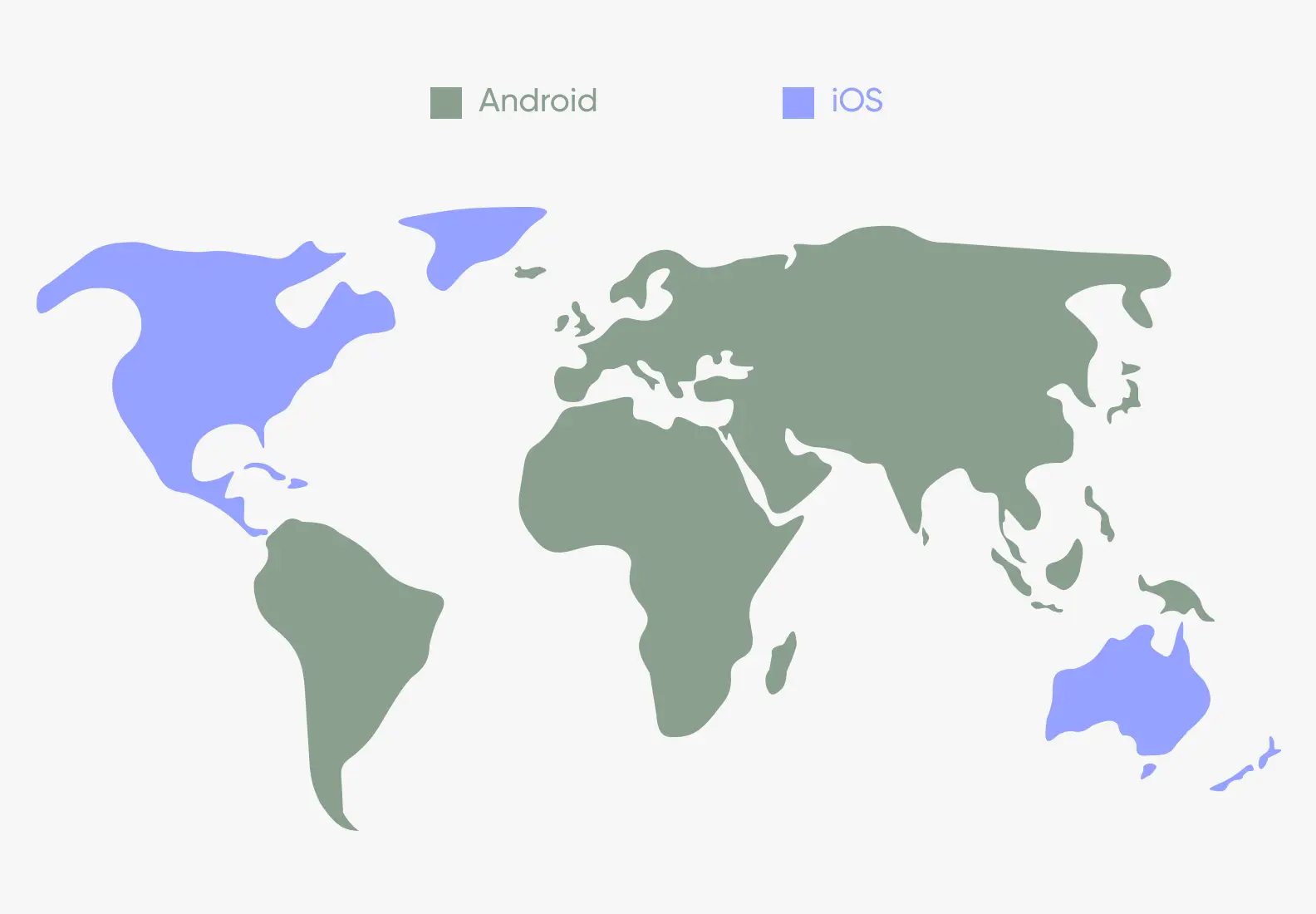
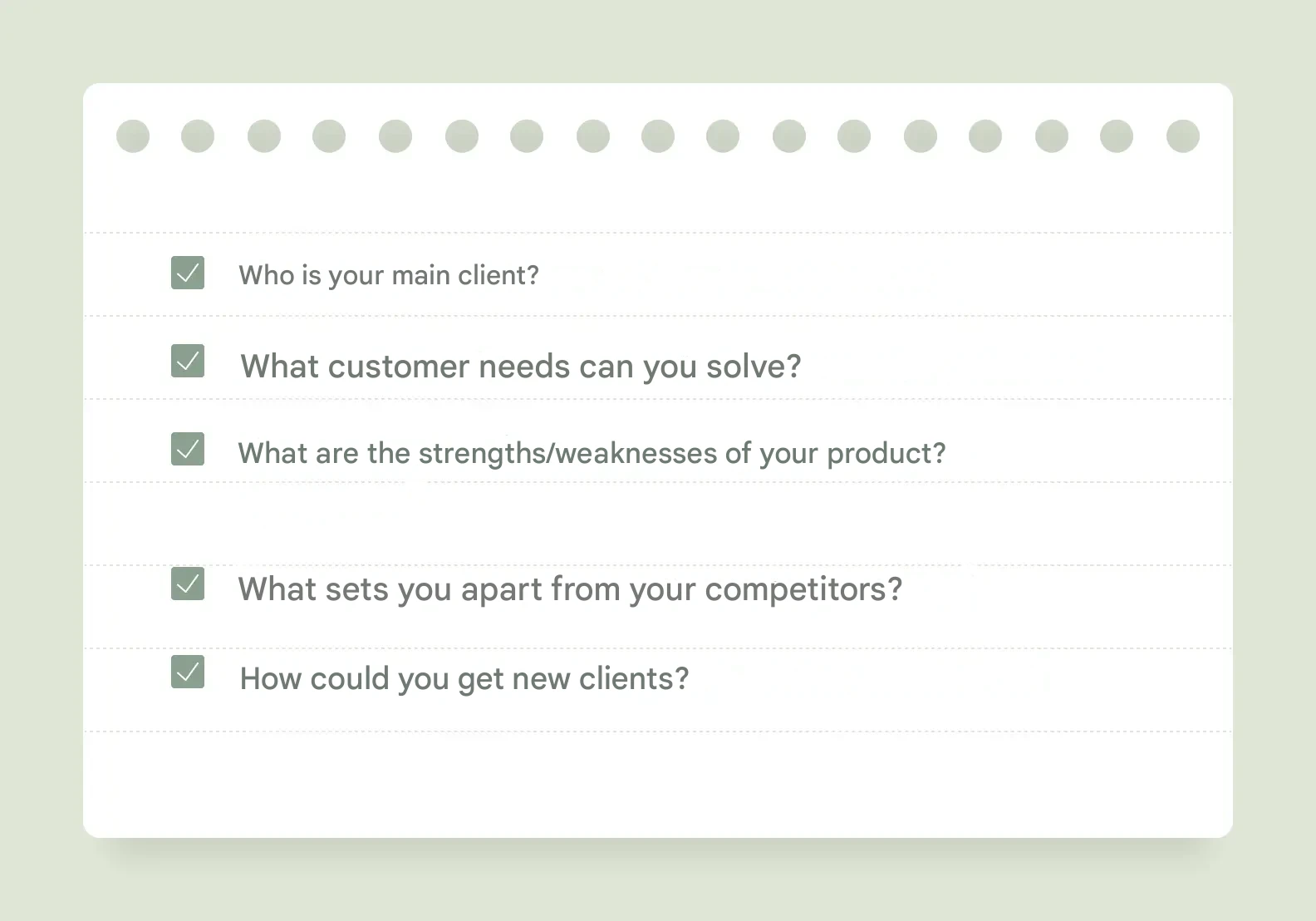

Defining the Audience
If you are creating a product “for everyone,” it means you don’t know who your user is. Create a clear profile: age, interests, habits, and problems that the audience wants to solve with your application. For example, if you are developing a fitness app, consider whether it will be for fitness enthusiasts, professional athletes, or beginners. Will it be used by those who want to lose weight or those who exercise for pleasure without a specific goal? These details will be useful during app development.
Conducting Competitor Analysis
Examine what competitors offer. How do their apps work? What problems do they solve, and what do they fail to address? Analyzing competitors in your niche will help identify unmet needs, gather references, and understand how to create a higher-quality product. As an option, you can download their apps, test the interface, and then review what other users write in their feedback.
Selecting Key Features
Decide which features are most essential for the application. Avoid trying to include everything at once to stay within budget and maintain focus on the product’s goal—concentrate on what matters most to users first. For example, for a taxi app, the key features would be a map with the user’s location, booking a car, and payment. Other elements can be added later when the product gains popularity and generates revenue.
Calculating Unit Economics
Unit economics helps determine how quickly the application will pay off. This includes analyzing data on the cost of acquiring one user, retaining them, and the average revenue. For example, if developing the application costs 1 million rubles, and each user generates 50 rubles, it’s important to determine how quickly you can recoup the investment and how many users will be needed. This data will help assess profitability, plan the budget, and avoid financial pitfalls. For instance, the discovery phase helped one of our clients save $150,000. The client wanted to develop a super-app for Muslims. During the process, we studied the market, conducted interviews with potential users, and calculated the subscription cost. As a result, we recommended against creating the product, as the market lacked a sufficiently large audience to make the service in-demand and profitable. 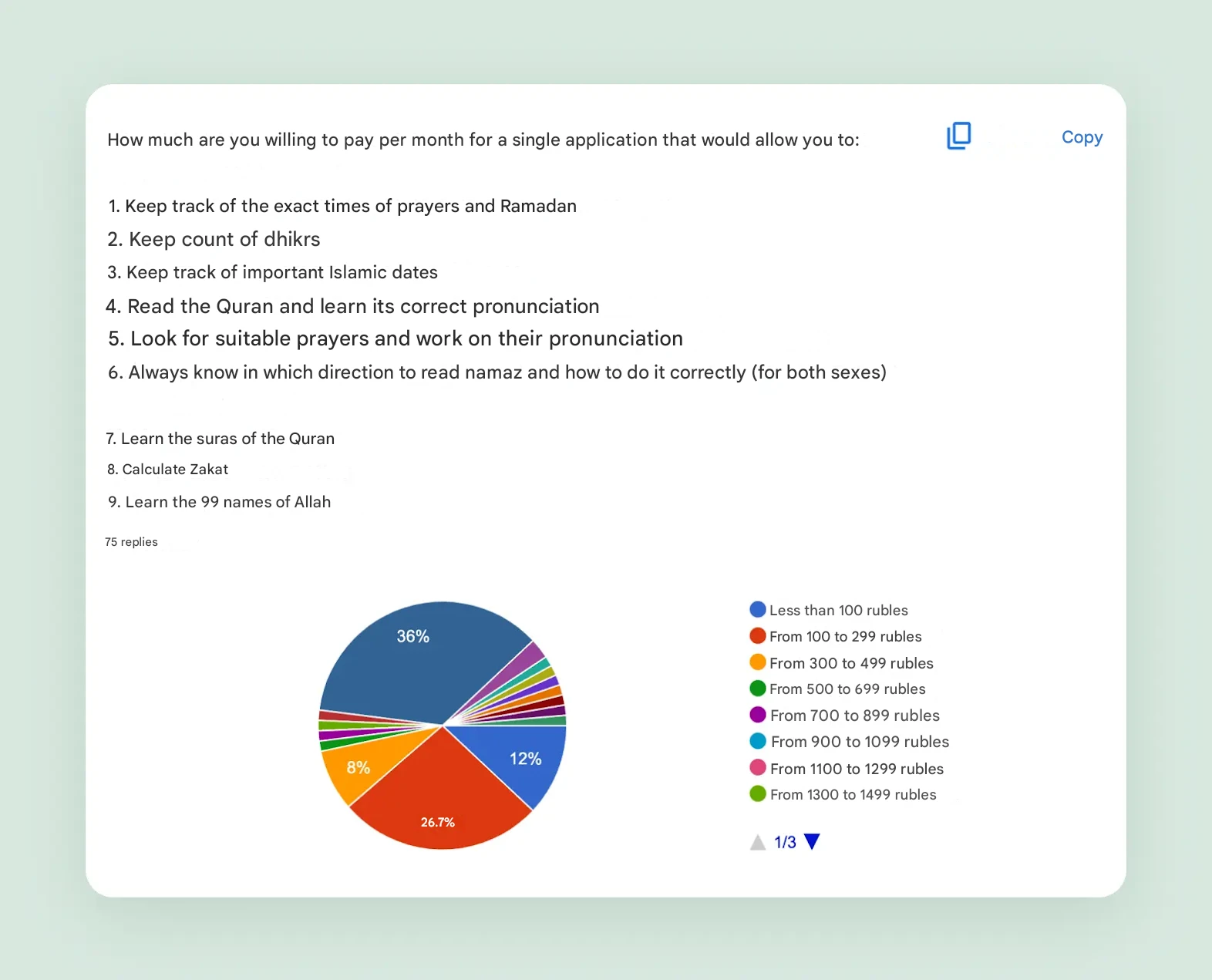
Thorough Design of the User Journey and Intuitive Interface Logic
The user journey is a meticulously crafted scenario of human interaction with the developed application. This scenario begins from the moment the app is first opened and sequentially guides the user toward achieving their ultimate goal, whether it’s purchasing a specific product or booking a desired service. It is critical to ensure maximum intuitiveness and speed in this process. The simpler and more logical the user interface is designed, the higher the likelihood that the user will successfully complete the intended action and remain satisfied with the interaction.
Conducting the Discovery Phase for In-Depth Project Analysis
The preparatory stage of mobile app development can be entrusted to experienced professionals. For this purpose, there is a specialized service known as business analysis or the discovery phase. The primary goal of this stage is to thoroughly analyze the value of the future product, comprehensively study market conditions, and preliminarily forecast the project’s potential profitability.
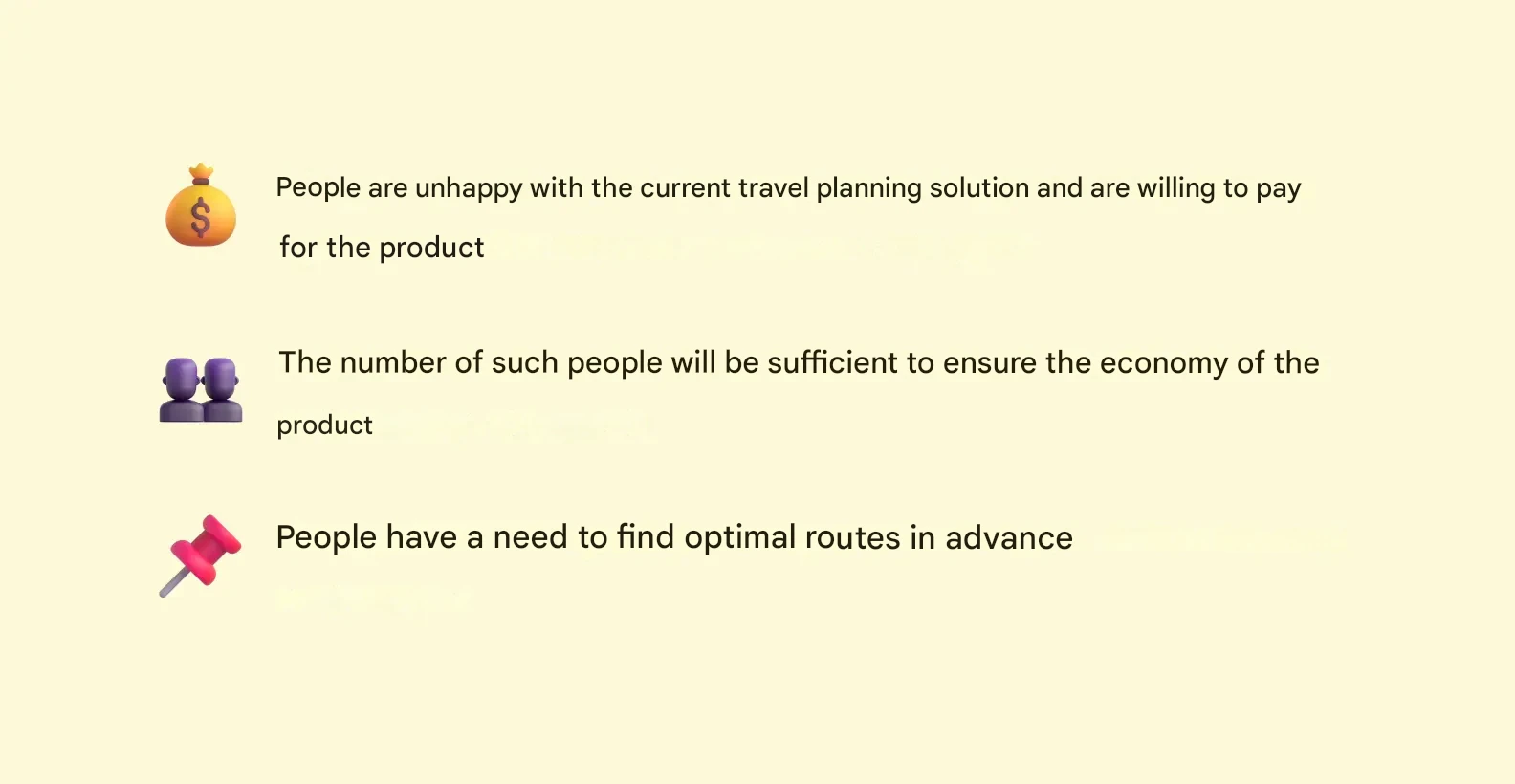
At Purrweb, we actively apply the discovery phase for our clients’ projects, enabling a comprehensive market analysis and assessing the demand for the proposed idea before full-scale app development begins. An example of the effectiveness of this approach is the successful experience of one of our clients, who, through a comprehensive analysis of a travel planning service idea, was able to identify low demand potential in time and saved a significant amount of $40,000 on developing a predictably unclaimed product.
5 Stages of Android Development
Five key stages of developing an Android application The process of creating applications for the Android operating system is a structured and sequential activity, typically encompassing five main stages. However, depending on the specific project requirements and client objectives, this structure may undergo certain adjustments. Below, we will examine in detail the five key steps that will help you transform your initial idea into a ready-to-use product and ensure user retention after its official release. 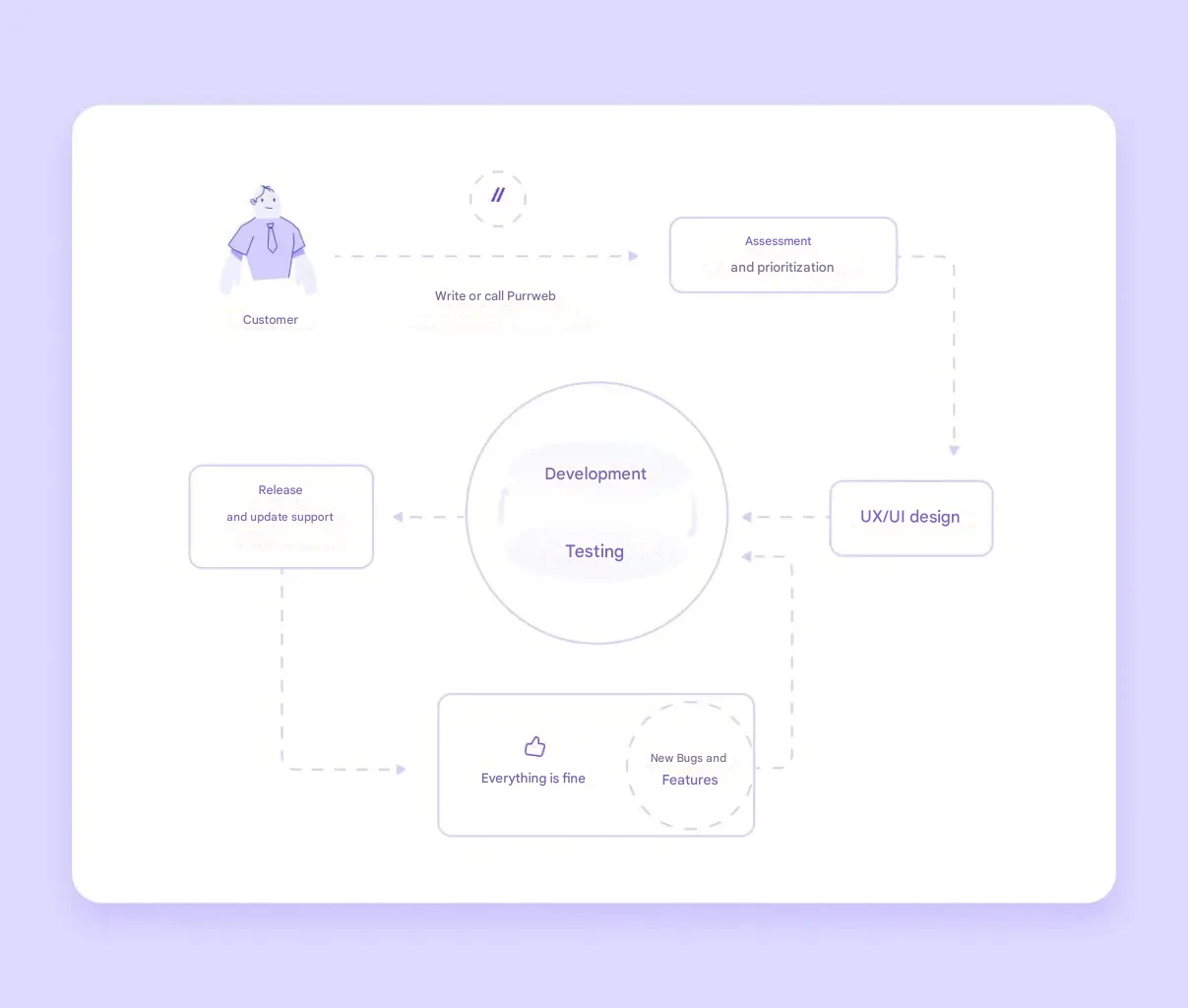
1. Idea Evaluation and Work Plan
The first and one of the most critical steps is transforming an abstract idea into a concrete vision of the future product. At this stage, it is necessary to clearly define the goals of creating the application: what problem it should solve for users, and what key functionalities it will include. It is recommended to document all emerging thoughts and ideas and then prioritize the most important ones. This approach will help form a clear understanding of the starting point and define the main directions for further work.
Next, the project is broken down into individual stages, and the sequence of their execution is determined: which tasks need to be addressed first, and which can be implemented later. A common practice is to develop a Minimum Viable Product (MVP)—a basic version of the application with only the essential set of features sufficient to solve the user’s primary problem. This approach significantly saves time and financial resources in the early stages of development and allows for early user feedback.
2. UI/UX Design
Designing the user interface (UI) and user experience (UX) is an integral part of the development process, and its importance goes far beyond aesthetic appeal. At this stage, the design team creates interactive prototypes of the app’s screens and carefully plans the logic of user interaction with each interface element. Ease of use, intuitive navigation, and a logical structure are key factors for success. It is essential that users understand how the application works from the first seconds of interaction without wasting time on unnecessary contemplation.
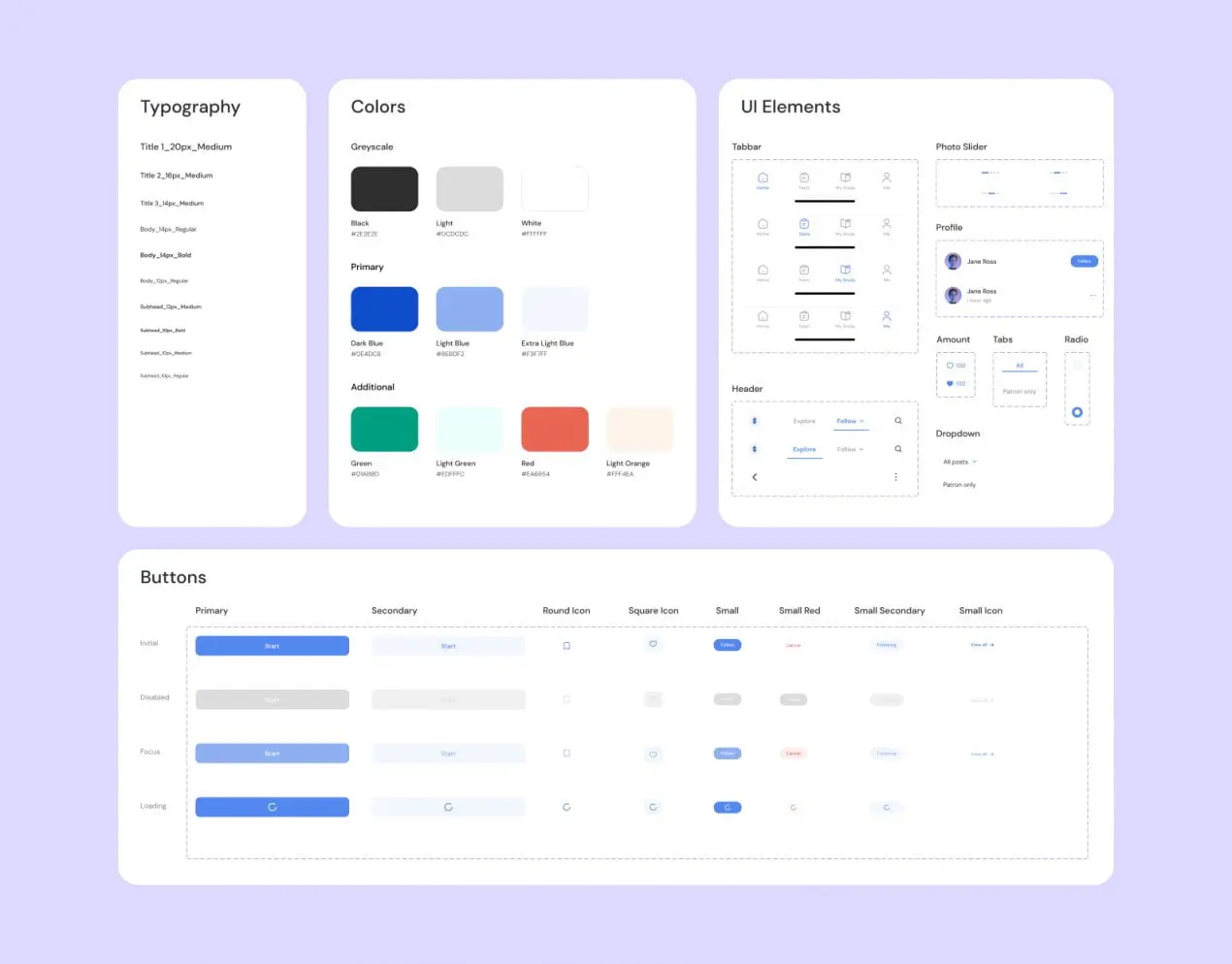
In parallel with designing the user experience, the team works on the visual aspects of the product, defining typography, the primary color palette, button styles, and accent elements. The result of this stage is the creation of a UI kit—a unified set of visual components that ensures stylistic consistency across all interface elements of the application.
3. Development
After the design mockups are approved, the actual app development process begins. At this stage, programmers write the code, implement interactions between various interface elements, and create the server-side (backend) for data storage and processing, which is necessary for the stable and uninterrupted operation of the application.
4. Testing
The testing process for the developed Android application can be conducted either in parallel with the coding stage or after its completion. Parallel testing allows for the identification and elimination of software bugs at the earliest stages of development, saving time and resources. During testing, the entire app functionality is thoroughly checked: from the correctness of the user interface to performance stability across various device models. Timely detection and resolution of bugs at this stage significantly reduces the likelihood of receiving negative user feedback after the app’s release.
5. Release and Technical Support
After successfully completing the testing stage, the application is prepared for publication in the Google Play Store. It is important to note that the marketplace imposes specific requirements (guidelines) for published apps, and the product must comply with them to pass moderation successfully. It is recommended to engage qualified specialists who can help verify the application’s compliance with all Google Play criteria.
However, releasing the app in the store is not the end of the project—technical support follows. Regular app updates, prompt fixing of identified bugs, and high-quality user support are key factors for retaining the audience and further improving the product. A successful application is a dynamically evolving product that continuously improves based on user needs and technological innovations.
Cost of Developing an Android Application
Formulating a budget for developing a mobile application for the Android platform is a multifaceted process that depends on several key parameters, including the complexity of the app’s functionalities, the size of the development team, the number of platforms the app will be launched on (e.g., Android-only or cross-platform solutions), and the geographical location of the developers. On average, the estimated cost of creating a native Android application can vary widely, starting from 2.1 million rubles and reaching 7-8 million rubles or more. It is important to understand that these figures provide only a general idea of the price range and may differ significantly depending on the specific requirements and characteristics of each individual project. For a more accurate estimate, a detailed discussion of the technical specifications and scope of work with potential developers is necessary.
What Android Apps Are Written In
In the process of developing a mobile application, you can take two paths: create native products separately for Android and iOS or use tools for cross-platform solutions. Here is a table with general differences.
| Native Development | Cross-Platform Development |
| High app performance. For complex applications with unique functionality Time-consuming and expensive Requires specialized expertise | Saves time and budget through code reuse for Android and iOS. Simplified maintenance and quick release of updates. Rapid MVP development. Although native features can be used, the latest features may not be available immediately after release Delayed release of updates, but simultaneously on both platforms |
Native Development
 Advantages and Features of Native Android App Development Developing a native version of an Android application is a resource-intensive process that requires significant time and financial investment. However, this approach ensures the highest level of performance and allows seamless integration of any, even the most complex and non-standard, functional elements into the application. The essence of native development lies in programmers using the “native” programming language of the target platform, which ensures the most efficient interaction with the operating system. Android operating systems interpret code written in these languages better and faster. The primary programming languages for native Android development are most commonly Java and Kotlin, with C++ used less frequently. Java: This language is a classic choice for Android development, boasting a large and active developer community, as well as an extensive knowledge base and ready-made solutions. Kotlin: A more modern programming language officially supported by Google as the preferred choice for Android development. It is more concise and safer than Java, which accelerates the coding process and reduces the likelihood of errors. However, it should be noted that if your initial plan is limited to developing an application exclusively for the Android operating system, but you consider scaling to other platforms (e.g., iOS) in the future, a native Android application cannot be easily adapted for another OS. In this case, developing an app for the new platform will require starting the process almost from scratch.
Cross-Platform Development
 Cross-platform frameworks are specialized toolkits that enable the development of applications that function across different operating systems. Using this approach reduces development costs by approximately 30% and significantly shortens the time to market to 3-4 months. Among the most popular and high-performance solutions are React Native and Flutter. React Native, based on the JavaScript programming language, is optimal for creating user interfaces using native components. This framework is also a good choice for projects requiring frequent functionality updates. In turn, Flutter, developed by Google, uses the Dart language and demonstrates high efficiency in developing complex applications rich in visual effects and animations. One of the key advantages of cross-platform development is the ability to reuse the codebase for different operating systems. This significantly simplifies the simultaneous creation of a single application for both Android and iOS. Additionally, it facilitates the process of scaling the application after its initial release. This approach allows for reaching a broader audience of potential users. Overall, the development process becomes more efficient and effective, simplifying the release of updates and necessary changes to the product.
Main Tools for Android App Development
Creating high-quality Android applications requires the use of several specialized tools. Below are four key components that play a significant role in the development process: Android Studio, Android SDK, emulator, and database. Let’s examine each in more detail.
1. Android Studio: Integrated Development Environment (IDE)
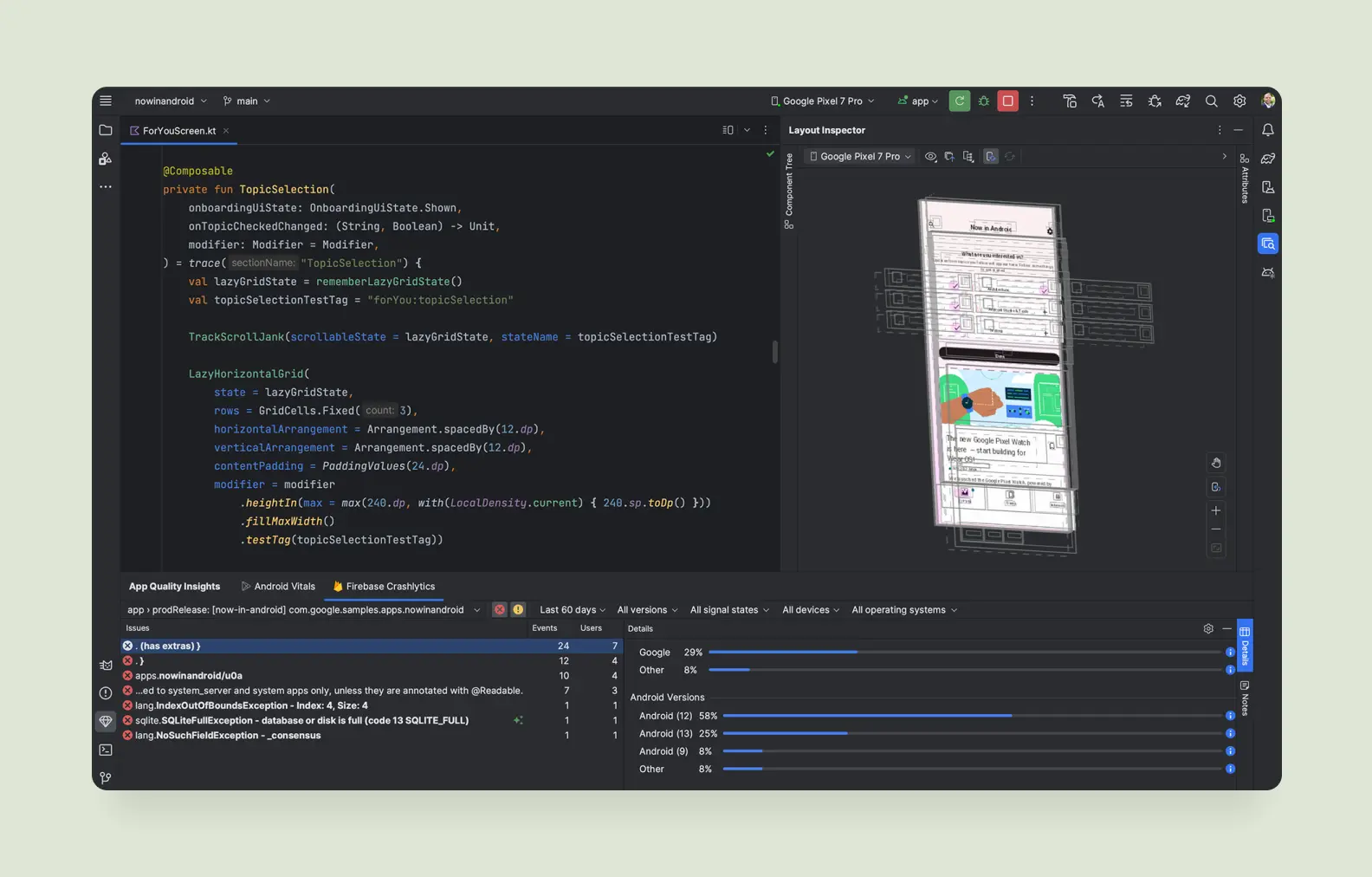
Android Studio is the primary integrated development environment (IDE) specifically designed for creating Android applications. In this environment, developers write code, design the user interface, configure various resources, and test the developed application. Thanks to its intuitive interface, integrated hints, and automatic code correction features, Android Studio is an indispensable tool that is accessible even to beginner developers.
2. Android SDK: Software Development Kit
The Android SDK (Software Development Kit) is a comprehensive set of tools, libraries, and detailed documentation that are integral to the process of developing applications for the Android operating system. The Android SDK provides developers with access to native operating system features, such as device camera control, GPS-based location determination, or file system operations. For example, with the Android SDK, various APIs can be used to integrate mapping services or implement a push notification system.
Emulator
The Android emulator is a virtualized mobile device that runs on your computer. This tool allows for comprehensive testing of the developed application even when a physical Android device is unavailable. The emulator enables configuration of various parameters, including screen size and Android OS version, which is necessary for verifying the app’s correct operation under diverse conditions. Using the emulator is particularly valuable for testing functionalities that may depend on the physical dimensions of a specific device or a particular OS version. 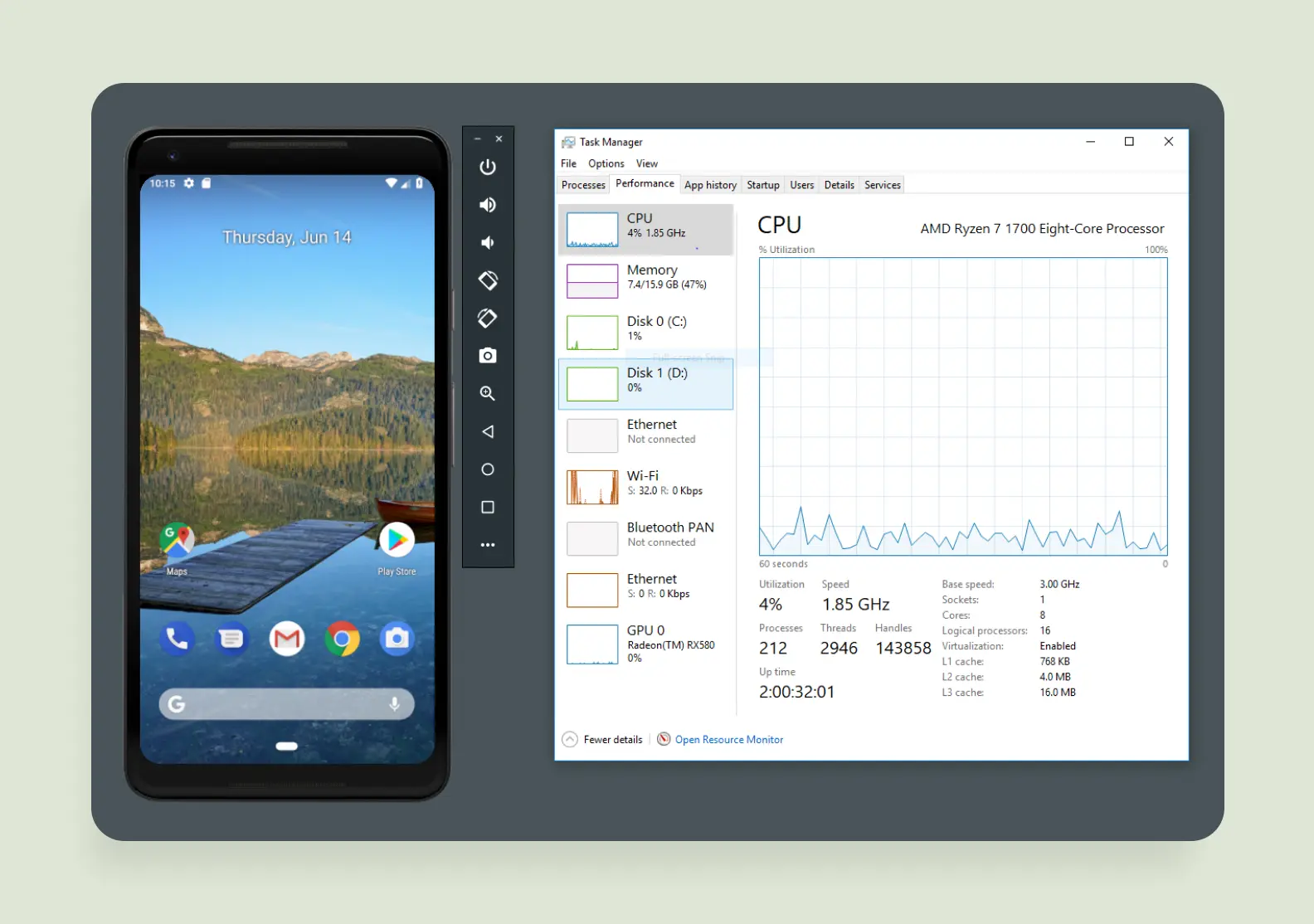
Databases
Virtually every modern application handles a certain amount of information, necessitating a reliable mechanism for its storage. In the context of the Android platform, one of the common and convenient solutions is SQLite. This compact and functional DBMS (database management system) is integrated directly into the operating system, eliminating the need for developers to configure a separate server. Due to its simplicity, SQLite is ideal for storing various user data directly on the device, such as shopping lists, personal notes, or recorded game session results.
For more resource-intensive and multifunctional applications where high performance and more flexible data interaction are critical, it is recommended to consider integrating third-party libraries such as Room (an abstraction layer over SQLite provided by Android Jetpack) or Realm (a mobile database known for its high performance). These tools significantly simplify data manipulation and contribute to optimizing the application’s overall performance.
How to Publish an App in Google Play
The process of publishing a developed application in the Google Play Store is relatively straightforward. It requires completing several sequential steps: creating a personal developer account in the Google Play Console, uploading the prepared APK file (or App Bundle) of the application, filling out all necessary metadata, including a detailed description of functionality and key features, and adding an attractive icon that identifies your app among many others.
Why Android App Builders Are Problematic
Mobile app builders are tools positioned as means for rapid app development without requiring programming skills. They offer users a wide range of ready-made templates covering various functional tasks. The market features numerous paid and free builders focused on creating Android applications. Despite the apparent appeal of this approach, especially at the initial stage of implementing an idea, using builders has several significant limitations that can negatively impact the quality, functionality, and scalability of the future application. Let’s examine the main advantages and disadvantages of this approach.
Pros
Builders save time. Even someone completely unfamiliar with development can create an app in a few hours. Working with builders doesn’t require deep technical knowledge—just choose a template and customize it to your needs. Builders are often used to create a simple app and quickly test an idea. However, there is an alternative to this approach—we’ll discuss it at the end of this section.
Cons
Limited functionality. This is the main problem with builders. They cannot implement complex features or unique designs. Apps created with builders often suffer from low performance and unstable operation. Moreover, such solutions scale poorly, complicating further development. Scalability challenges. If the application grows and scales, sooner or later, you’ll need to add new complex features, increase the number of user connections, and expand the amount of data you work with. Most builders are designed for simple applications, so they struggle to handle these tasks. High-quality development is always better than any hastily made app. Even if your budget is severely limited and you need to quickly test an Android app idea, there are ways to do so without relying on a builder.